
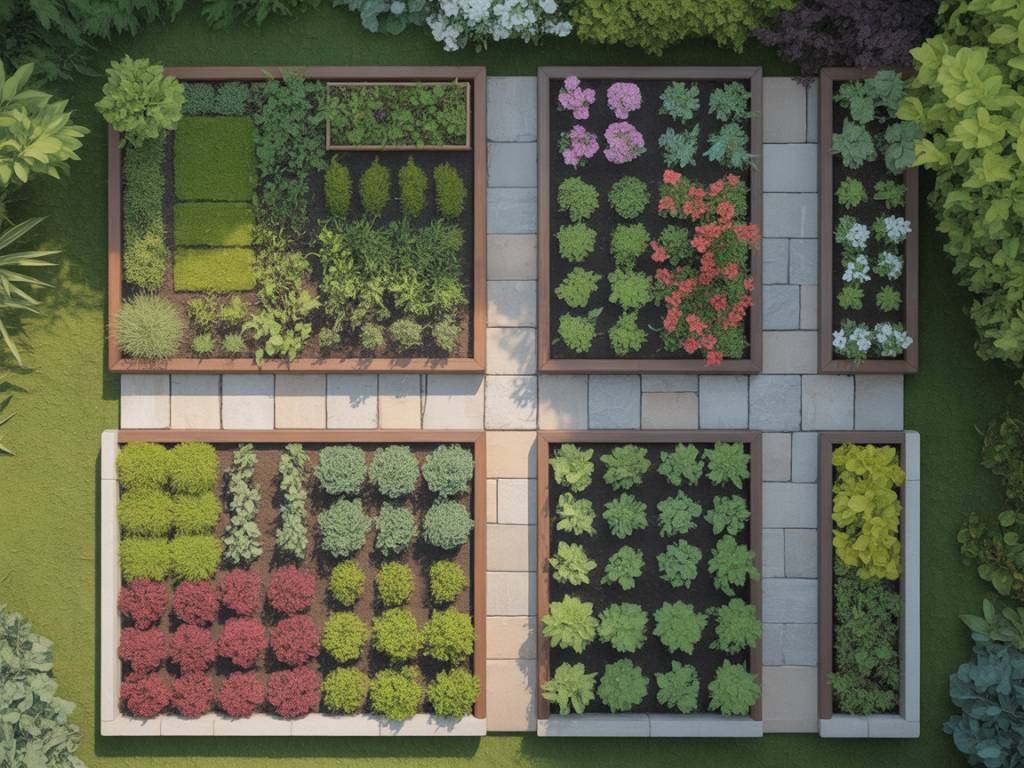
There’s a particular kind of magic in planning a garden. It begins long before the first trowel meets the soil — often on the sofa, cup of tea in hand, tracing imaginary paths and borders with your fingertip. Today, that gentle daydream has powerful allies: garden design apps that let you sketch, experiment and refine your ideas before a single plant leaves its pot.
Whether you have a compact urban balcony, a rambling country garden or a courtyard that’s still more concrete than green, the right app can help you turn scattered ideas into a considered outdoor layout, complete with borders that sing from spring to frost.
Why garden design apps are worth your time
You might be wondering: can an app really understand the way you want your garden to feel? No — that’s your role. But a good app can help you:
- Visualise outdoor layouts before committing to hard landscaping
- Plan planting schemes and borders for year-round interest
- Avoid costly mistakes (like putting a sun-lover in deep shade)
- Keep track of what you’ve planted, and where
- Experiment freely, without moving a single heavy pot
Think of these tools as your sketchbook, mood board and notebook, all living quietly in your pocket, waiting for those late-night bursts of inspiration.
Key features to look for in a garden design app
Before diving into specific names, it helps to know what to look for. Not every app will do everything, and that’s perfectly fine — often, a simple combination works best.
- Drag-and-drop design tools: So you can experiment with borders, paths, patios and lawns quickly.
- Plant database: With filters for sun/shade, soil type, height, spread and flowering time.
- Photo-based design: The ability to import a photo of your space and overlay plants or structures.
- Seasonal view: Some apps let you “scroll through the year” to check colour and structure in each season.
- Measurement tools: To help you scale your design realistically to your garden’s size.
- Cloud syncing: Handy if you swap between phone, tablet and laptop.
- Offline access: To work outside even when the Wi-Fi doesn’t stretch to the end of the garden.
Now, let’s walk through some of the most helpful apps, grouped by how they can serve your garden: layout, planting schemes, small spaces and sustainable choices.
Apps for visualising overall garden layouts
These tools are ideal for reshaping your space: planning paths, patios, seating areas and the “bones” of your garden before you think about individual plants.
iScape (iOS) – for photo-based garden makeovers
If you’re a visual thinker, iScape feels wonderfully intuitive. You take a photo of your existing outdoor space, then use the app to drop in plants, trees, fencing, edging and even outdoor furniture. It’s like trying on outfits, but for your garden.
- Best for: Homeowners wanting to test big changes (new borders, hedges, seating areas) without guesswork.
- Why it’s useful: Seeing your actual garden transformed on screen makes it much easier to decide whether a sweeping herbaceous border or a calm gravel courtyard feels right.
- Lovely touch: You can share designs with family or landscapers, which is perfect if you’re planning together or seeking professional feedback.
Imagine standing in your winter-bare garden and, on your phone, seeing it overflowing with summer roses and lavender. That’s the quiet joy of iScape.
Home Outside (iOS & Android) – for elegant, flexible layouts
Home Outside feels a little like moving paper cut-outs around a beautiful plan. It uses simple shapes and icons to represent lawns, beds, paths, trees and features like pergolas or fire pits.
- Best for: Sketching clean, stylish layouts without getting lost in technical detail.
- Why it’s useful: You can test the flow of movement — how you’d walk from gate to terrace to vegetable patch — before fixing anything in place.
- Standalone or complement: Many people use it alongside a more plant-focused app to refine borders later.
If you’re the sort who moves furniture around a room until it feels right, Home Outside translates that instinct beautifully outdoors.
SketchUp (Web, Desktop & App) – for 3D enthusiasts
For those who like to plan in meticulous detail, SketchUp offers 3D modelling that can turn your garden into a digital miniature. It’s more technical than most garden-specific apps, but incredibly powerful for complex projects.
- Best for: Large or multi-level gardens, or when combining substantial hard landscaping and planting.
- Why it’s useful: Seeing your garden in 3D helps with decisions on steps, retaining walls, pergolas and shade structures.
- Good to know: The learning curve is steeper, but for design enthusiasts it can be deeply satisfying.
If you’re dreaming of a terrace that catches the last light of the day, SketchUp helps you check exactly where that light will fall.
Apps for planning planting schemes and borders
Once the shape of your garden is in mind, the real poetry begins: choosing plants that will share the space harmoniously, each taking their moment on the stage through the seasons.
GrowVeg Garden Planner (Web & Desktop) – for productive beds and mixed borders
GrowVeg Garden Planner is widely loved among kitchen gardeners, but it’s also a quiet hero for mixed borders. You design your beds to scale, then drag and drop vegetables, herbs, flowers and fruit into place.
- Best for: Those who want decorative beauty and harvests from the same space.
- Key features: Plant spacing, crop rotation reminders, and planting calendars tailored to your region.
- Why it’s helpful aesthetically: You can see at a glance where you’re relying too heavily on one height or colour.
It’s especially useful if you like the relaxed abundance of a cottage garden, where edibles and ornamentals mingle happily.
RHS Grow (iOS & Android, UK-focused) – for reliable plant information
From the Royal Horticultural Society, RHS Grow offers a curated plant database grounded in real horticultural expertise — a comforting anchor in an ocean of conflicting online advice.
- Best for: UK gardeners keen to choose plants that thrive in local conditions.
- What it offers: Detailed care guides, planting and pruning reminders, and advice tailored to your garden’s situation.
- Design angle: Use it as your reference while planning borders in a separate layout app.
Picture yourself sitting by the window, garden notebook open, using RHS Grow to check whether your chosen shrub stays politely compact or will quietly engulf the path in three years’ time.
Gardenize (iOS & Android) – for tracking what you’ve actually planted
Designing the perfect planting scheme is one thing; remembering where you tucked that delicate perennial two years later is another. Gardenize helps bridge the gap between plans and reality.
- Best for: Gardeners who want to document, rather than just dream.
- Key features: Create “areas” of your garden (border by border), log plants with photos, and track care tasks.
- Design benefit: Over time, you’ll see which combinations really work, and which need gentle editing.
Think of it as your living garden diary — a space to record the subtle triumphs and quiet failures that shape a truly characterful garden.
PictureThis & PlantNet (iOS & Android) – for plant ID and inspiration
When you fall in love with a planting combination in a neighbour’s front garden or a public park, it’s natural to wonder: what is that plant? Apps like PictureThis and PlantNet help you identify plants from a quick photo.
- Best for: Building your own “wish list” of plants based on real-life inspiration.
- How to use design-wise: Create a folder of favourites, then cross-check with a more detailed database (like RHS Grow) to ensure they suit your soil and light.
- Lovely habit: Turn everyday walks into quiet scouting trips for future planting schemes.
Once you know the names, you can start weaving those plants into your own borders, adjusting colours and textures to suit your home.
Apps tailored to small spaces, balconies and courtyards
Even the tiniest outdoor corner deserves thoughtful design. In small spaces, every pot, trellis and planter earns its place, so planning becomes even more important.
Planter (iOS & Android) – for container veg and compact beds
Planter is a simple, user-friendly app for planning vegetable and herb layouts, especially useful if you garden mainly in raised beds or containers.
- Best for: Balcony gardeners and those with just a few well-chosen beds.
- Key features: Companion planting guidance, spacing suggestions, and sowing/harvest windows.
- Why it suits small spaces: It nudges you toward efficient use of every square inch, without crowding plants.
Combined with a layout app, Planter helps you blend edible planters with ornamental ones in a way that feels abundant rather than cluttered.
Planner 5D (iOS, Android & Web) – for multi-use outdoor living spaces
Planner 5D isn’t garden-specific, but its outdoor tools are extremely handy if your terrace or courtyard does double duty as lounge, dining room and miniature garden.
- Best for: Designing patios and roof terraces where furniture, planting and storage must all coexist.
- Features: Drag-and-drop outdoor furniture, planters and structures in both 2D and 3D.
- Design advantage: You can position pots, screens and vertical planters to create privacy without blocking light.
It’s particularly useful if you’re trying to tuck greenery into a space already defined by architecture: a roof deck, a small walled yard or the narrow strip outside a townhouse kitchen.
Apps for sustainable, climate-conscious garden design
A garden that feels beautiful is even more satisfying when it also supports wildlife, conserves water and fits naturally into its local climate. These apps gently nudge your design in that direction.
iNaturalist (iOS & Android) – for understanding your local ecosystem
iNaturalist might not be a garden design app in the traditional sense, but it’s a wonderful tool for choosing plants that resonate with the life already around you.
- Best for: Nature lovers who want their garden to hum with biodiversity.
- How it helps design: Use it to identify insects, birds and wild plants in your area, then select garden plants that feed and shelter them.
- Design idea: Plan a border specifically to support the pollinators you’ve observed through the app.
Soon, your planting scheme becomes less an isolated composition and more a friendly dialogue with the surrounding landscape.
WaterUse It Wisely / local water apps – for drought-conscious planning
Depending on your region, local utilities or environmental organisations sometimes offer apps or tools that estimate water use and recommend drought-tolerant planting.
- Best for: Gardeners in areas with hosepipe bans or irregular rainfall.
- How to use: Check your planned layout and plant list against their suggestions, adjusting thirsty lawns or border plants for more resilient species.
- Design benefit: You can create a garden that remains graceful even when summers turn hotter and drier.
If there’s no dedicated app where you live, combining a planting planner with local guidance from your water authority or horticultural society can be just as effective.
How to combine apps for a seamless garden design process
No single app does everything perfectly. The trick is to let each one play to its strengths, like different tools in a well-loved potting shed.
Here’s a simple, gentle workflow you might try:
- Sketch the structure: Use Home Outside, iScape or Planner 5D to map out paths, seating, lawns and beds.
- Choose your plants: Build a shortlist with PictureThis or PlantNet when you spot inspiring plants in real life, then check suitability with RHS Grow or similar databases.
- Plan the borders: In GrowVeg Garden Planner or a similar planning tool, arrange plants to balance height, colour and flowering times.
- Add the real-world layer: Walk your garden with your phone, adjusting plans when you notice subtleties the apps can’t see — a pocket of unexpected shade, a view you’d like to frame.
- Record the journey: Use Gardenize as your memory, logging what you eventually plant, along with notes and photos through the seasons.
Over time, this rhythm of dreaming digitally and then gently testing ideas in the soil creates a garden that is both intentional and alive, structured yet always evolving.
Bringing the screen back into the soil
The quiet danger with any planning tool is staying in the planning stage forever. It’s tempting — endlessly rearranging digital borders until every leaf is perfectly placed. But real gardens are not perfect; they are conversations, experiments, slowly learned love languages between you and your patch of earth.
Let your chosen apps give you just enough confidence to begin. Use them to avoid obvious mistakes, to play with structure and scale, to ensure your borders won’t all fall silent in August. And then, step outside.
Stand where your new border will be and imagine its future height hugging or framing the view. Notice the way the late afternoon light moves across the space. Ask yourself simple questions: where do I want to sit with my morning coffee? Which window deserves a lush, green outlook?
As your garden grows, your apps will become quiet companions rather than strict blueprints — there to capture what worked, help adjust what didn’t, and hold the next wave of ideas.
In the end, the best garden design app is the one that helps you listen more closely: to your own tastes, to the character of your home, and to the subtle needs of the plants you invite in. When the digital planning gently fades into the background and you find yourself happily pottering, secateurs in hand, you’ll know the balance is just right.